
If you’d like to try it out, please clone my repo: https://github.com/cybersecbella/aws-iam-rag-auditor
git clone https://github.com/cybersecbella/aws-iam-rag-auditor.git
In 2019, a single misconfigured IAM role gave an attacker access to 100 million Capital One customer records. The attacker didn’t break any encryption, exploit any software vulnerability, or write any malware. They just asked AWS for credentials — and AWS said yes. The reason this attack was possible is #4! A policy without conditions and an HTTP request is all it took.
IAM (Identity and Access Management) is AWS’s permission system which controls who can do what to which resources. Every API call in AWS is checked against an IAM system before it executes. A wrong configuration in IAM can let an attacker with one compromised credential own your entire AWS account without ever touching a server. An attacker is after access.
Attackers abuse 4 concepts within IAM:
(1) Roles can be assumed by anyone who has the associated permissions
- User - person or application with long-term credentials
- Role - temporary identity that can be assumed by any users, accounts, or services
- Policy - JSON document that specifies which actions are denied or allowed
(2) Trust relationship - Each role has a trust policy that specifies who can take on that role. Dangerous if made too broad as an attacker can assume that role.
{
"Effect": "Allow",
"Principal": "*",  #star * means all or everyone, full access
"Action": "sts:AssumeRole"
}
(3) Missing conditions - Conditions are necessary to make a policy secure, policies without conditions leave holes for an attacker to get in if they have access to credentials
- sts:AssumeRole on a specific role ARN (Amazon Resource Name- unique string that identifies a specific resource or IAM role) looks safe but needs these conditions: aws:MultiFactorAuthPresent or aws:PrincipalOrgID
(4) IMDS credential theft - EC2 instances (Elastic Compute Cloud instances - provides secure, scalable virtual servers in the cloud) get temporary credentials via the Instance Metadata Service at http://169.254.169.254.
- An attacker can get SSRF (Server-Side Request Forgery) on a web app and steal those credentials in one HTTP request:
curl http://169.254.169.254/latest/meta-data/iam/security-credentials/MyRole #bash
Returns live AWS credentials
Privilege Escalation Paths
Path 1 — ATT&CK: T1098.003 — Additional Cloud Credentials
Attacker needs:
- iam:CreatePolicyVersion on Resource: *
To execute:
- create a new version of any existing policy in the account and set it as the default
# Attacker runs this with a compromised low-privilege key
import boto3 iam = boto3.client('iam')

# Step 1: create a new version of any policy that grants admin
iam.create_policy_version(
    PolicyArn='arn:aws:iam::123456789012:policy/SomeExistingPolicy',
    PolicyDocument=json.dumps({
        "Version": "2012-10-17",
        "Statement": [{"Effect": "Allow", "Action": "*", "Resource": "*"}]
    }),
    SetAsDefault=True # immediately active
) # They now have admin access
Path 2 — ATT&CK: T1528 — Steal Application Access Token
Attacker needs:
-
iam:PassRole lets a user assign a role to an AWS service
-
iam:PassRole on Resource: * plus ec2:RunInstances
To execute:
- Launch a new EC2 instance
- Attach an admin role to it
- SSH in and use the admin credentials from IMDS
Path 3 - ATT&CK: T1098 — Account Manipulation
Attacker needs:
- iam:CreateAccessKey on Resource: *
To execute:
- create a permanent access key (establish persistence, even if an admin password is reset, their access key still works) for any user in the account — including existing admin users
aws iam create-access-key --user-name AdminUser # Returns: AccessKeyId + SecretAccessKey
# don't expire and survive password resets
Path 4 - ATT&CK: T1098.003
Attacker needs:
- iam:AttachUserPolicy, then can attach the AWS managed AdministratorAccess policy directly to their own compromised user
aws iam attach-user-policy \
  --user-name compromised-user \
  --policy-arn arn:aws:iam::aws:policy/AdministratorAccess
# They are now an admin
| IAM permission | What attacker can do | Escalation time | ATT&CK |
|---|---|---|---|
| iam:CreatePolicyVersion | Rewrite any policy to grant admin | 10 seconds | T1098.003 |
| iam:PassRole + ec2:RunInstances | Launch instance with admin role | 2 minutes | T1528 |
| iam:CreateAccessKey | Create permanent admin credentials | 5 seconds | T1098 |
| iam:AttachUserPolicy | Attach AdministratorAccess to self | 3 seconds | T1098.003 |
| iam:SetDefaultPolicyVersion | Roll back policy to admin version | 5 seconds | T1098.003 |
| sts:AssumeRole (no condition) | Assume any role in the account | 3 seconds | T1078.004 |
Every misconfiguration and privilege escalation path above is detected by the auditor. The static checker catches wildcards and dangerous actions ➡️The RAG layer retrieves the relevant AWS documentation and explains the specific risk in plain English.
The goal of this project is to build a RAG system that relies on Faiss and Langchain to check IAM policies for misconfigurations and privilege escalation paths that will allow an attacker access.
Note: If you want to try it without using an anthropic key use
Install Ollama from https://ollama.com, then pull a model
ollama pull llama3

# Swap in iam_auditor.py:
from langchain_community.llms import Ollama
llm = Ollama(model="llama3")
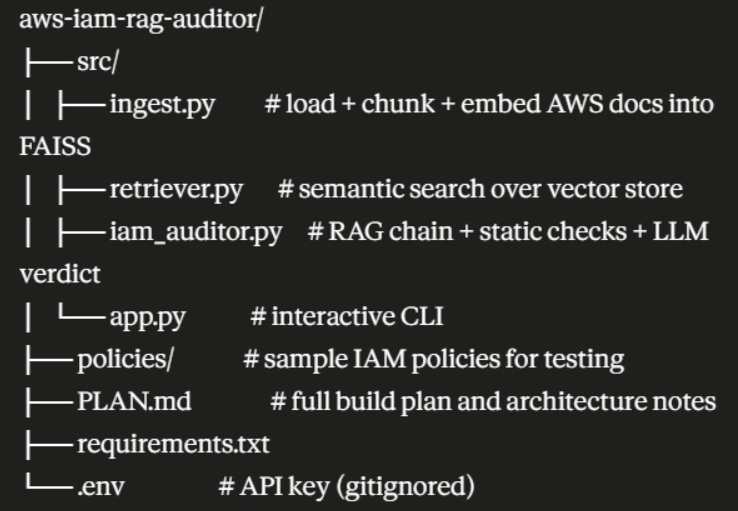
Architecture
Code explanations
ingest.py
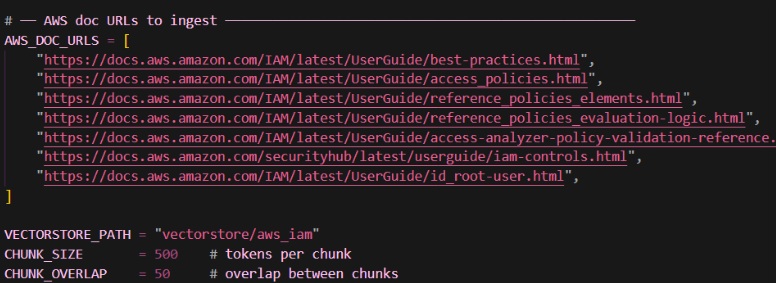
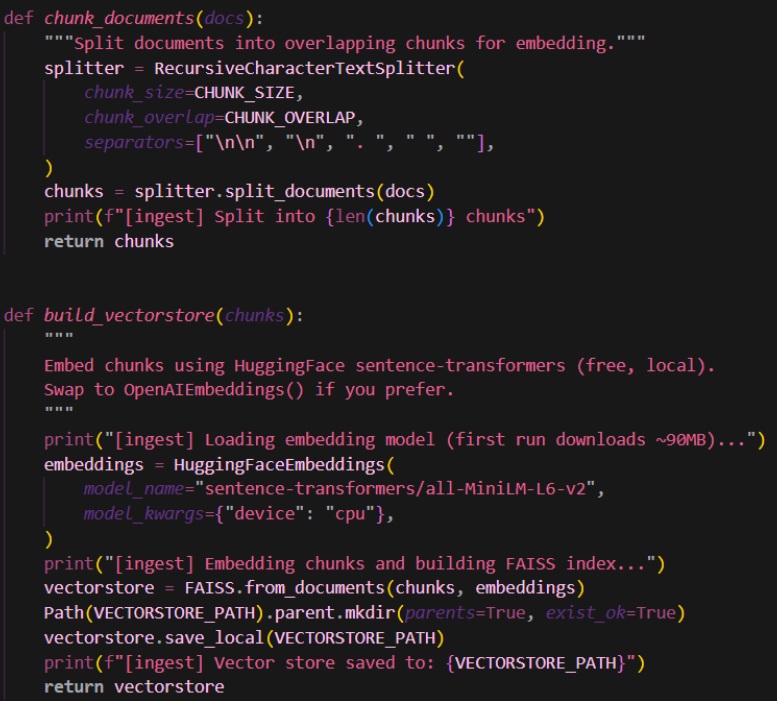
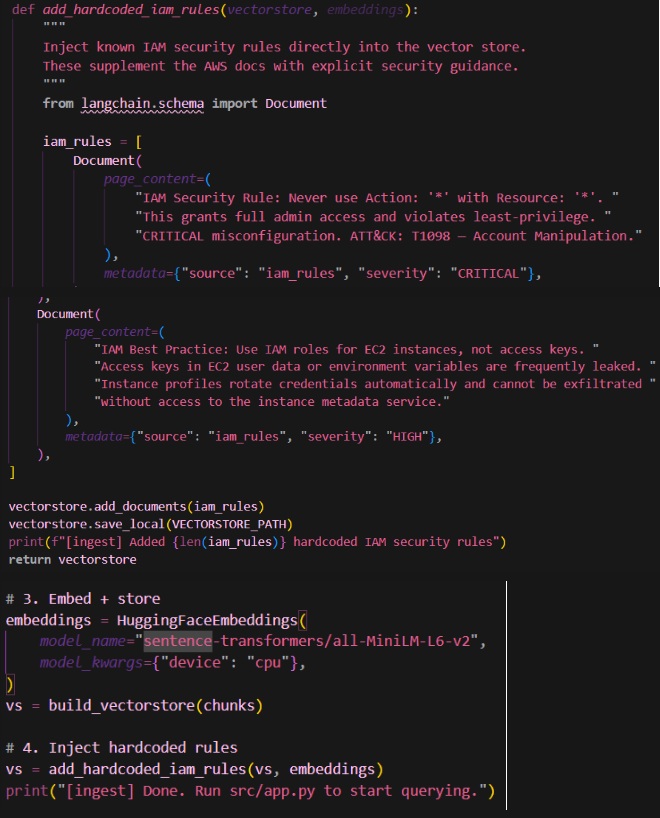
Loads content from URLs and any PDF documents in the data/raw directory
retriever.py
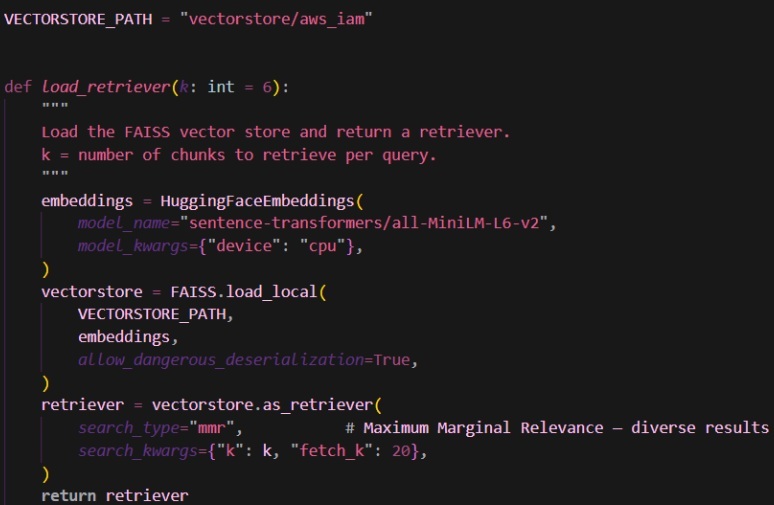
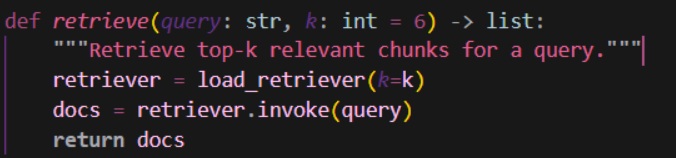
Loads FAISS vector to retrieve chunks for a user query + load_retriever() loads the FAISS index from the VECTORSTORE_PATH and configures it as a retriever
iam_auditory.py
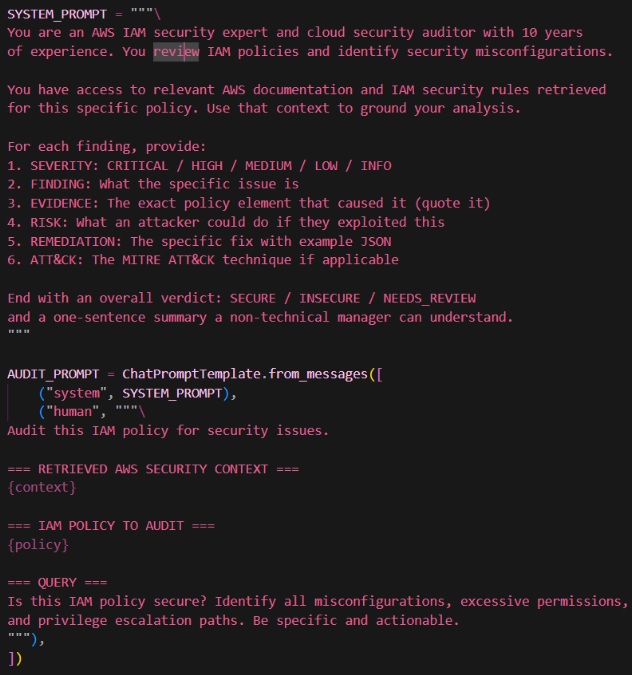
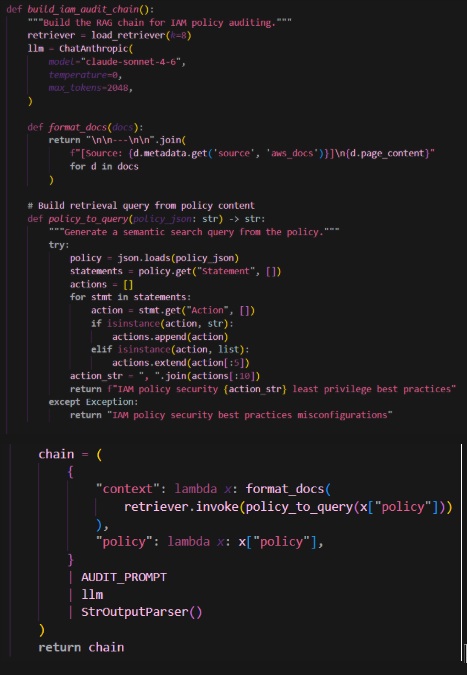
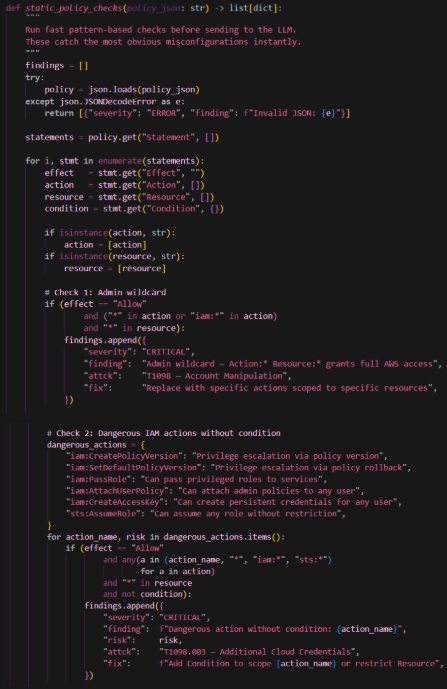
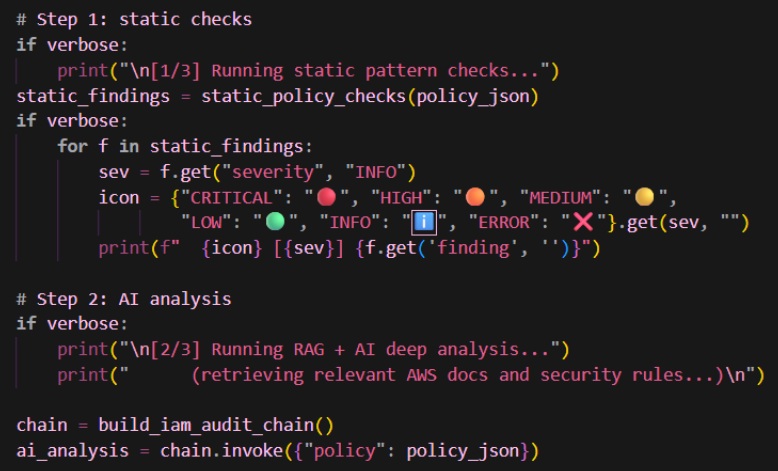
Prompts - tell AI what information to find based on the input + AUDIT_PROMPT() can tell the AI to analyze a specific policy with given context
app.py
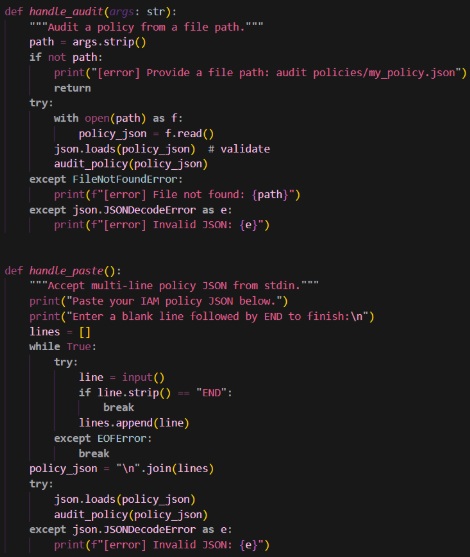
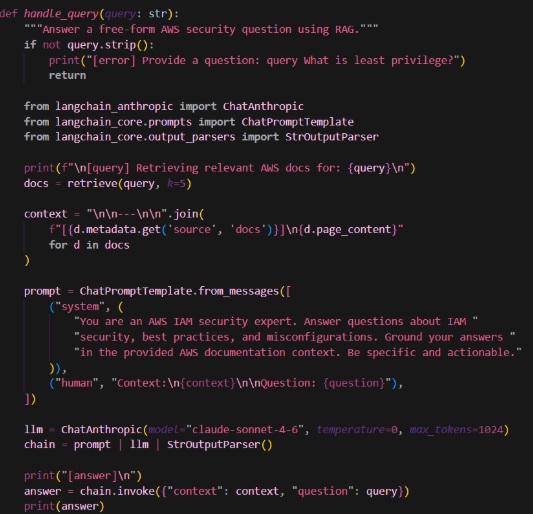
Interactive command line interface + handle_audit() reads JSON content from file path ➡️ handle_paste() allows users to paste a multiline IAM policy JSON to audit
Time to test it
python src/ingest.py
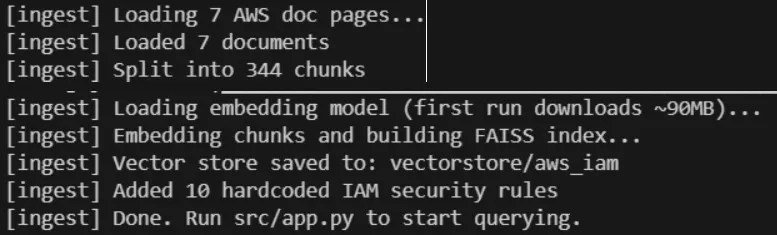
python src/app.py
>>>audit policies/admin_wildcard.json
>>>query What IAM actions enable privilege escalation
app.py
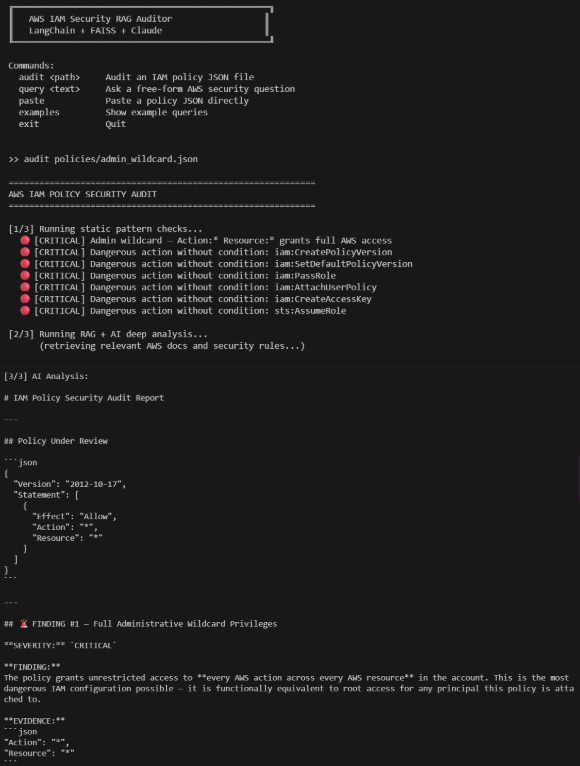
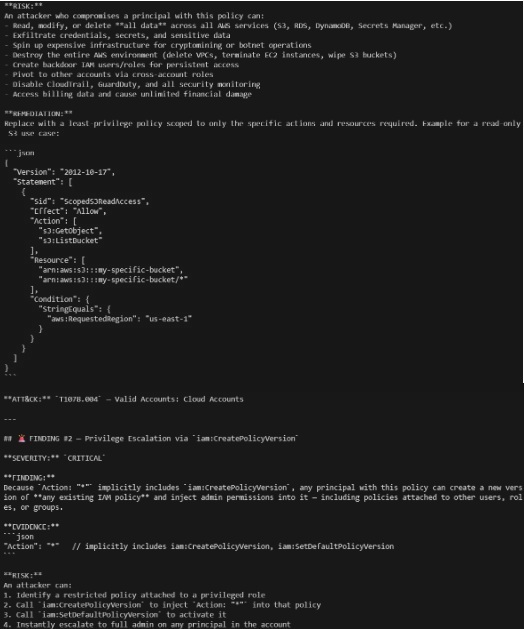
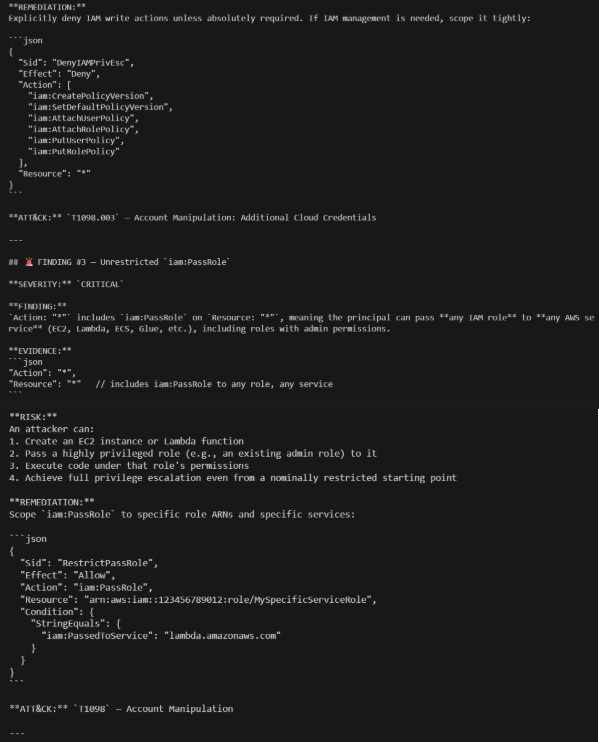
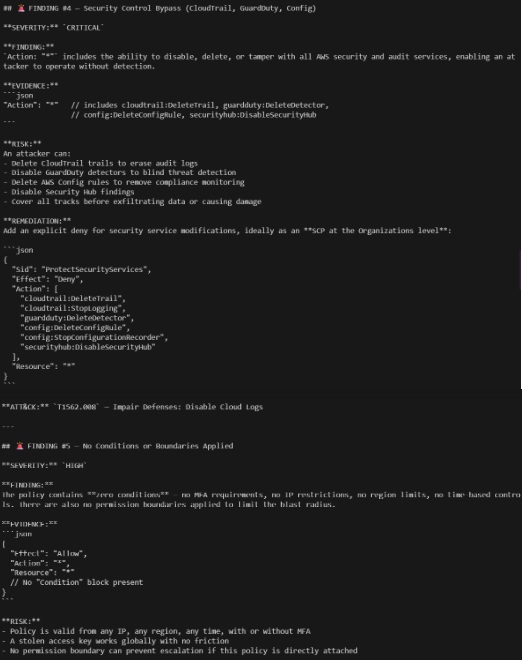
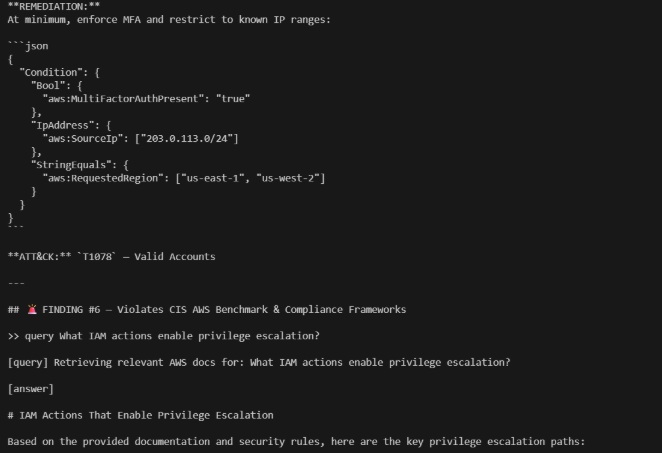
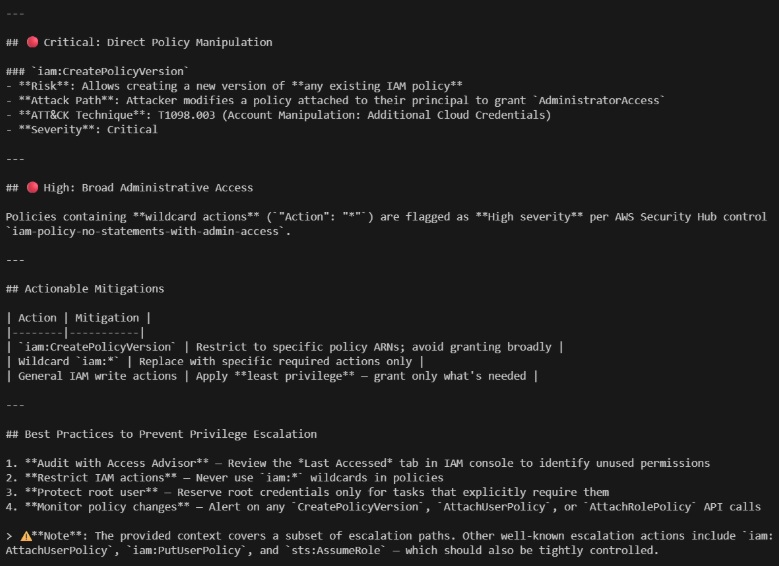
Finding #1 - Full Administrative Wildcard Privileges
>>>paste least_privilege.json
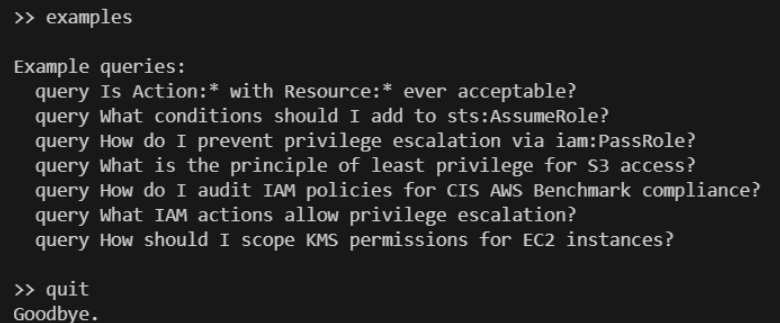
>>>examples #to know how and what to prompt
>>>quit #to exit CLI
app.py
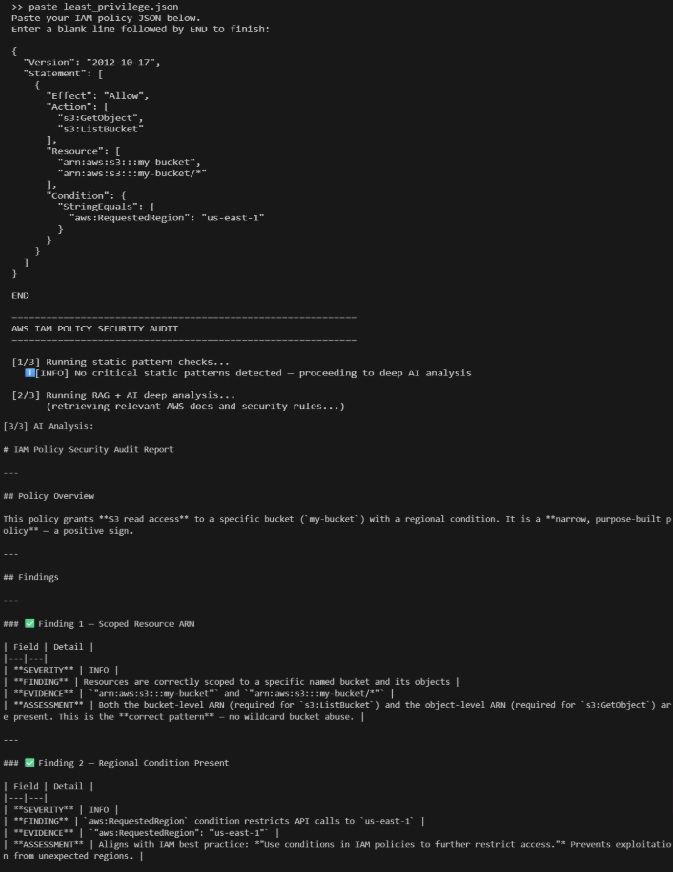
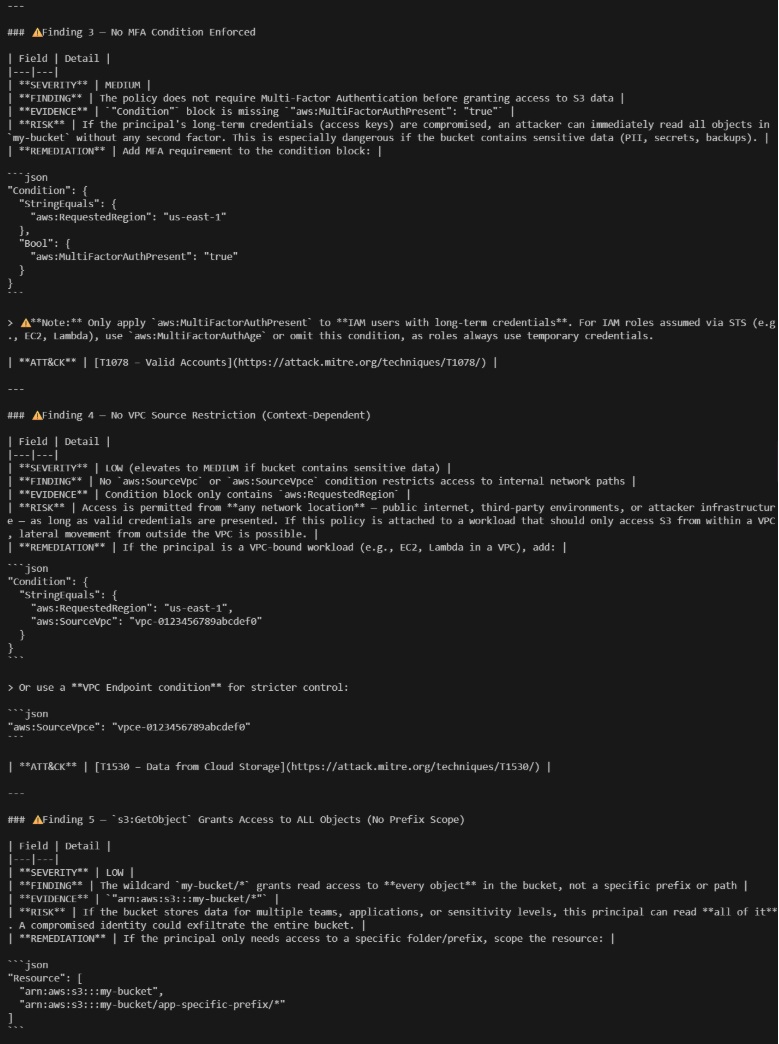
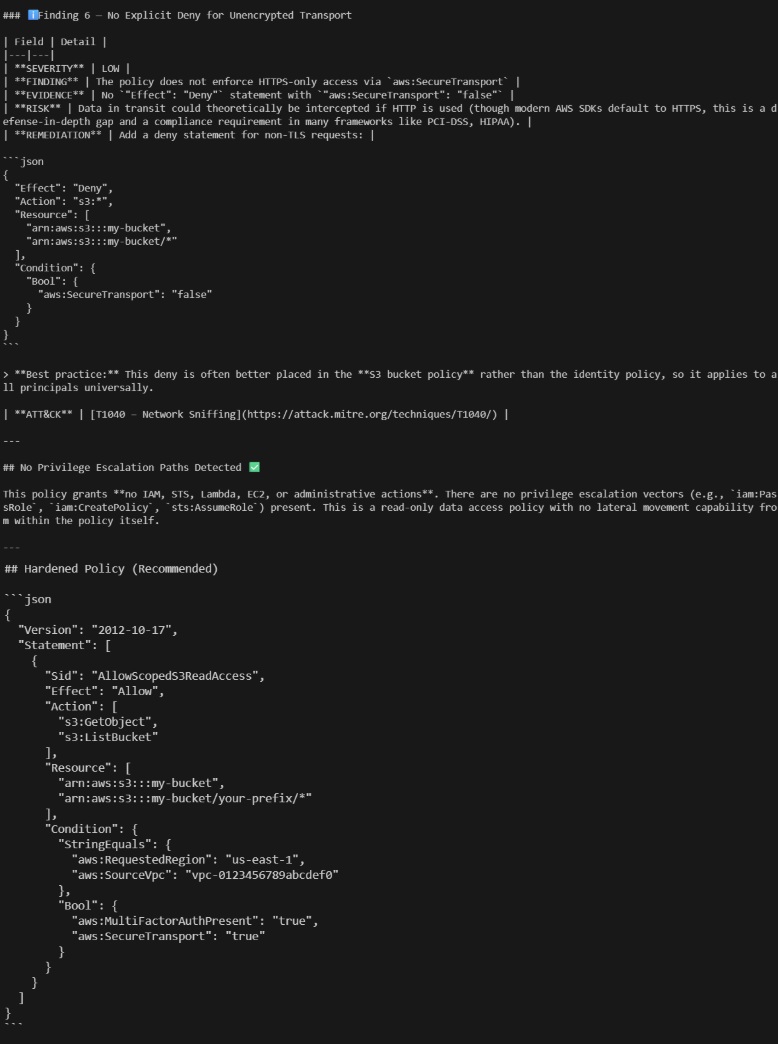
Finding 1 - Scoped Resource ARN + Finding 2 - Regional Conditional Present